MRI Parameter Trade-Offs Explained: Complete Registry Cheat Sheet
If there is one topic that trips up MRI registry candidates more than any other, it is parameters. Not the definitions, those are easy enough to memorize. The hard part is the tradeoffs. Change TR and three other things move with it. Push for more resolution and your scan time climbs. The registry loves to test this, usually with a question that reads "if you increase X, what happens to Y," and if you only memorized definitions, a reworded version of that question will catch you every time.
This guide breaks down the parameters the way the exam actually tests them, and we built a one-page cheat sheet you can save and study from. Here it is.
The one rule that explains everything
Before any single parameter, learn the golden rule: in MRI, improving one thing almost always means giving up something else. More signal usually costs time. More resolution usually costs signal. A faster scan usually costs signal or adds artifact risk. Once that idea is in your head, you stop memorizing isolated facts and start reasoning your way to the answer, which is exactly what the registry rewards.
The four things every parameter affects
Almost every parameter on the exam is judged by how it moves four values. Know these four cold and most questions answer themselves.
- SNR (signal to noise ratio). How strong your signal is compared to background noise. More SNR means a cleaner image.
- Scan time. How long the sequence takes. Longer scans mean more motion risk and less patient throughput.
- Spatial resolution. How much fine detail the image shows. Driven mostly by voxel size, which comes from field of view, matrix, and slice thickness.
- SAR (specific absorption rate). The radiofrequency power absorbed by the patient per unit mass, averaged over time. This is a safety limit, not an image quality dial. It rises with higher flip angles and with more RF pulses packed into each TR.
The big parameters, and what they cost
TR (repetition time)
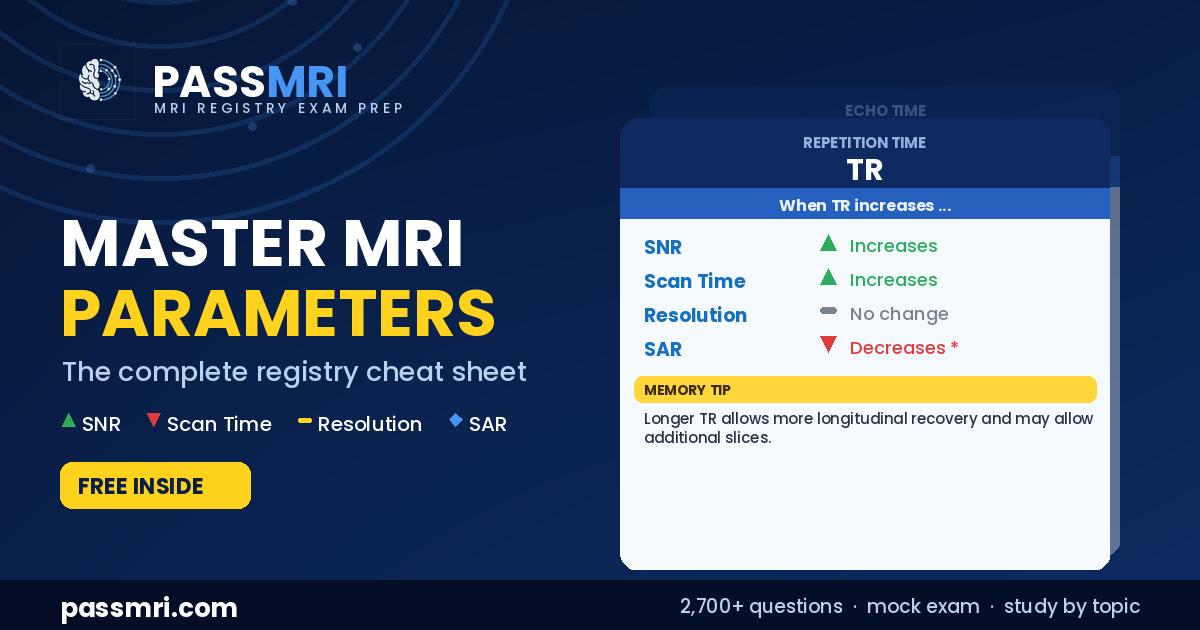
Longer TR allows more longitudinal recovery, which raises signal and reduces T1 weighting. It also gives you room for more slices. The cost is scan time, which climbs as TR climbs. Because the RF pulses are spread over more time, SAR actually drops.
TE (echo time)
Longer TE increases T2 weighting and lowers signal, because you are sampling later, after more T2 decay. On its own, with other settings fixed, it does not change scan time.
Number of averages (NEX or NSA)
This is the classic tradeoff question. Each extra average raises SNR by the square root of NEX, not linearly. So doubling NEX gives only about a 41 percent SNR gain while doubling your scan time. It is a slow and expensive way to buy signal, and the exam wants you to know that square-root relationship.
Field of view and matrix
These two set your voxel size, which sets resolution. A larger field of view with a fixed matrix makes bigger voxels, which means more signal but less detail. Increasing the phase matrix does the opposite: smaller voxels, better resolution, less signal per voxel, and a longer scan. Think of field of view and matrix as the two knobs that trade resolution against signal and time.
Echo train length (turbo or fast spin echo)
Longer echo trains fill k-space faster, so your scan time drops. The cost is T2-related blurring from the later, weaker echoes, and the effect on signal depends on the sequence design, which is why it belongs in the "variable" category rather than a clean up or down.
Flip angle
In spoiled gradient echo, signal rises as you approach the Ernst angle and then falls off past it, so the SNR effect is not a simple one-way arrow. What is predictable is SAR: higher flip angles deposit more RF energy, so SAR goes up.
Receiver bandwidth
A higher bandwidth lowers SNR but buys you less chemical shift and less distortion near metal. It is a quality-versus-artifact tradeoff that shows up often in musculoskeletal and metal-artifact questions.
Slice thickness and number of slices
Thicker slices make bigger voxels, so more signal but worse through-plane resolution and more partial volume averaging. Adding slices mainly adds coverage. Whether it costs scan time depends on whether the extra slices fit inside the existing TR or force it longer.
How to actually use this on the exam
Registry parameter questions almost always follow one pattern: they hold everything constant, change a single setting, and ask what happens to one of the four values. So practice in that exact shape. Pick a parameter, say it out loud, and run it against all four: what happens to SNR, scan time, resolution, and SAR. If you can do that for every row on the cheat sheet without looking, you have covered a large and reliable chunk of the image production section, which is one of the most heavily weighted parts of the exam.
Watch out for the "it depends" rows too. A few relationships, like echo train length and signal, or number of slices and SAR, genuinely depend on the sequence and how the scan is set up. The exam sometimes writes those as variable on purpose. Knowing which relationships are clean and which are conditional is itself a tested skill.
A note on SAR
One distinction worth getting right, because stronger questions test it: SAR is time-averaged RF power per unit mass, not the total number of pulses delivered during the exam. That is why adding averages doubles your scan time but does not necessarily raise SAR, since the RF pulse pattern per unit time has not changed. If you can explain that, you are ahead of most candidates.
Study it the smart way
A cheat sheet gets the relationships into your head. Timed practice makes them automatic under pressure, which is where the registry is won or lost. PassMRI gives you 2,700-plus practice questions with a detailed explanation on every one, a study mode and a test mode, a full 200-question mock exam that mirrors the real registry, and study-by-topic coverage so you can drill parameters until they are second nature. There is also a money-back guarantee, so you can see if it fits the way you study before you commit.
Save the cheat sheet, work the four values on every parameter, and put yourself under real exam conditions before test day. That is how parameter questions go from your weakest section to your easiest points.
Frequently Asked Questions
What are the main MRI parameters tested on the registry?
The most tested are TR, TE, TI, flip angle, field of view, matrix, number of averages, echo train length, receiver bandwidth, slice thickness, number of slices, parallel imaging factor, and diffusion b-value. For each, know how it affects signal to noise, scan time, resolution, and SAR.
What is the relationship between SNR and scan time?
They usually move together. Most ways to raise signal, like adding averages, cost scan time, because the core rule of MRI is that improving one thing means giving up something else.
How does increasing NEX affect the image?
It raises SNR by about the square root of NEX, so doubling NEX gives roughly a 41 percent SNR gain while doubling scan time. It does not change spatial resolution.
What is SAR?
Specific absorption rate, the RF power absorbed by the patient per unit mass, averaged over time. It rises with higher flip angles and more RF pulses per TR. It is a safety limit, not an image quality setting.
Reading cheat sheets is a great start, but practicing with realistic board-style questions is what locks the material in for test day. PassMRI.com gives you everything you need to prepare for the ARRT and ARMRIT exams in one structured platform for just $99/year:
- 2,700+ High-Yield Practice Questions with clear, step-by-step rationales for every answer
- Interactive Cross-Sectional Anatomy Localizers featuring labeled brain, spine, and joint scans
- Full-Length Timed Mock Exams built to match real registry difficulty
- 100% Money-Back Pass Guarantee so you can study with complete confidence
Try 44 Free Practice Questions Now (No Account Needed)